A Practical Continuous Testing Technique: Running a Suite of Automated Tests Against the Same Browser in CI/CD — Part 1: Run them frequently
Infrequently run automated E2E tests provide little value.

The “Practical Testing Technique” series is designed to help test automation engineers solve common E2E automation challenges quickly and effectively.
These solutions will be exclusive to paid subscribers, as we continue to provide increasing value through subscriber-only benefits—such as more high-quality in-depth articles, free ebooks, casual mentoring, service discounts, and upcoming reseller partnerships💰. In short, becoming a subscriber is genuinely worthwhile.
In a previous article (well-received), I demonstrated how to develop a suite of Selenium WebDriver tests that run against the same browser window using TestWise IDE. As experienced test automation engineers know, if a suite of automated E2E tests isn’t run frequently—ideally, daily—the test scripts gradually become outdated. Even a small delay can make maintaining them feel like an impossible task. This is why many E2E automation efforts fail.
In short, if automated E2E tests aren’t executed in a continuous manner, their value is greatly diminished.
As our neat approach of executing a suite of Selenium tests against the same Chrome instance, how does it stand in a continuous testing environment?
Part 1: Run them frequently
Part 2: How to Implement it?*
The Framework and Tools
Best of all, this entire toolset is free to use (as in both ‘free speech’ and ‘free beer’).
Automation Framework: Selenium WebDriver
Scripting Language: Ruby
Test Syntax Framework: RSpec
Testing Tool: TestWise IDE
Browser: Google Chrome
CI/CD server: free, open-source and international award-winning BuildWise.
For simplicity, this tutorial focuses on sequential execution, although parallel execution of this approach using multiple BuildWise agents is also possible.
Set up BuildWise Project
Installing and setting up BuildWise is quick and easy—it can be completed in just a few minutes. For more details, see my other article.
See it in Action
It’s quite satisfying—especially if you’ve only experienced the one-browser-per-test-script approach—to see all test executions happen within a single browser.
Below is a test execution report (6 Selenium RSpec tests) on BuildWise.
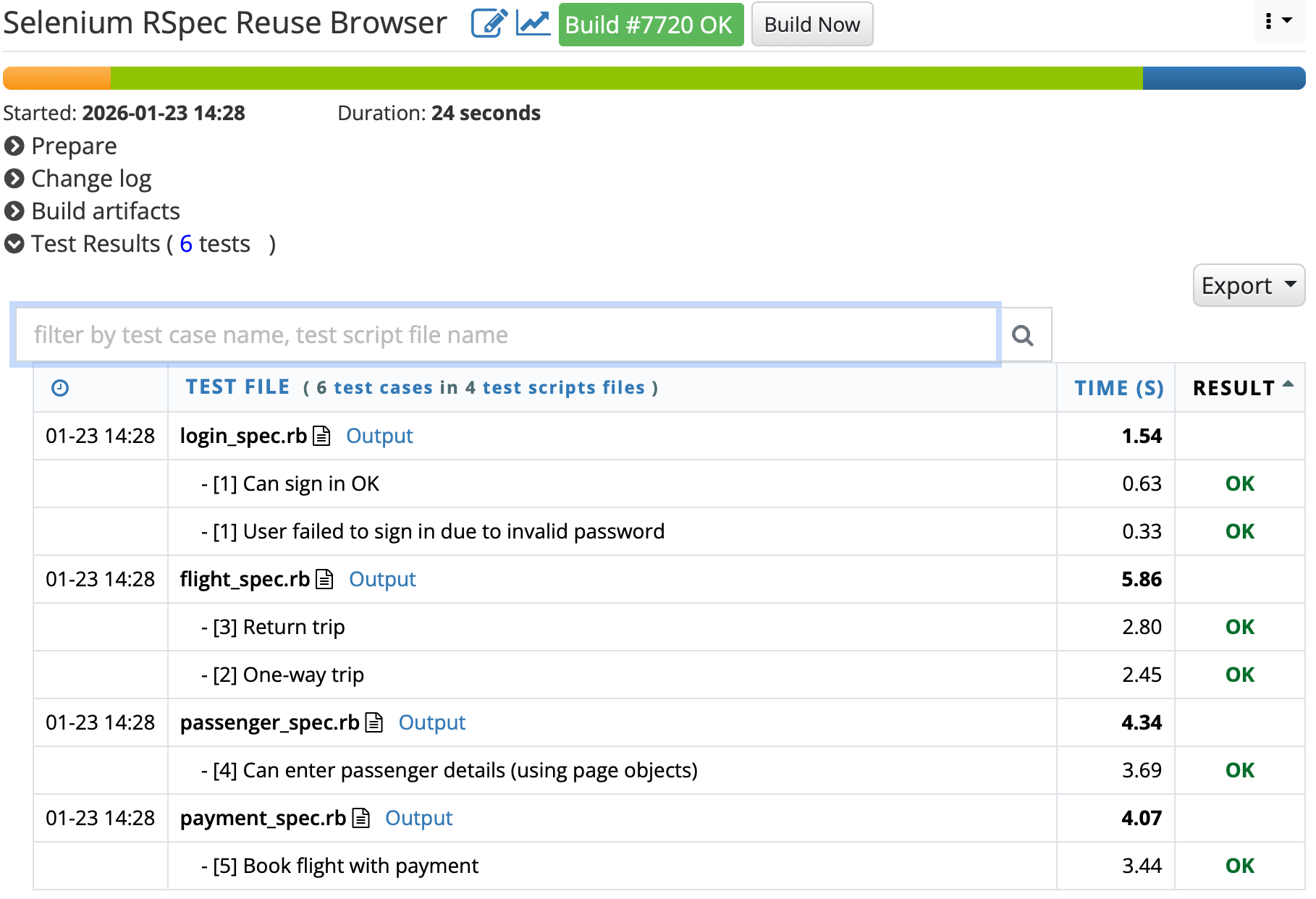
The multiple green bars and execution times (see below) indicate that this test suite has been executed multiple times on the BuildWise CT server.
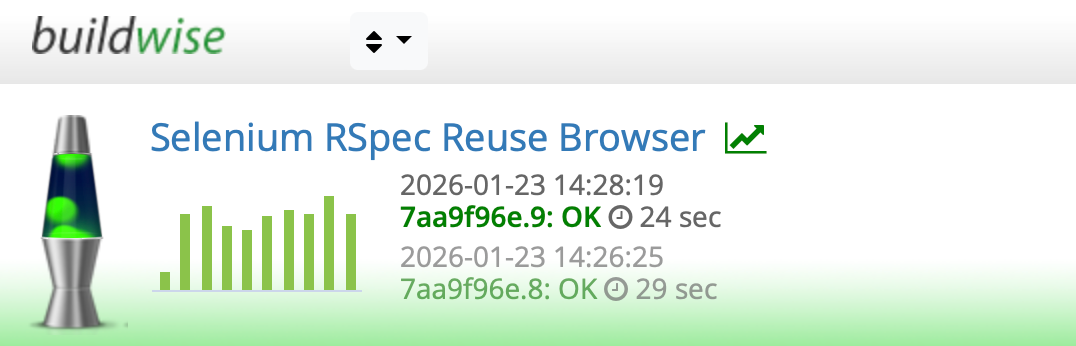
In other words, it has proven to be quite reliable across repeated runs, reusing the same browser session.
Tip: Many test automation engineers are accustomed to executing one or several tests at a time in a testing tool. In contrast, with the BuildWise CT server, you simply click a button to run an entire test suite and then get:
Detailed test results (including full test system output)
Archived artifacts (can be retrieved and viewed anytime)
View the content of a specific test script, and even run it, via the BuildWise UI in your local browser.
Individual test execution history (with charts)
Failed test error stack traces and screenshots
And many more CT features
While the tests are executing in BuildWise, you are free to focus on other tasks.
It’s a whole new level of satisfaction: everyday work becomes dramatically simpler. Best of all, the BuildWise CT server is free, open source, and internationally award-winning—no strings attached.
Questions to Consider Before I Reveal the Implementation
For readers who are eager to implement this in their own work, here are a few questions to think about:
What challenges might you face when implementing shared-browser test execution?
How would you approach solving them?
Next week, I’ll walk you through the implementation and answer the questions you might have.
Related reading: